Automating SMS Reminders with Google Calendar
12/20/2025
Overview
This project helped a local pet groomer streamline appointment management and automate text message reminders. The goal was simple: keep bookings organized in one place, confirm appointments quickly, and reduce no‑shows—without locking the business into an expensive, all‑in‑one platform.
I implemented a lightweight stack that the groomer already felt comfortable with:
- Google Calendar as the scheduling source of truth
- Twilio for SMS delivery (confirmations, reminders, reschedule prompts)
- Make.com to orchestrate timing, templates, and data flow between tools
The result is a reliable, affordable system that keeps clients informed and reduces wasted time, while giving the business full control over messaging.
Client Context
The client is a neighborhood pet groomer with a steady schedule of repeat customers and new bookings. Their priorities:
- Keep appointment details in one calendar everyone can access
- Send friendly, professional SMS reminders at the right time
- Avoid surprise SMS charges and keep messaging costs predictable
- Stay flexible—no complicated software or long contracts
Goals
- Centralize booking in Google Calendar
- Automate confirmation upon booking and reminders before the appointment
- Respect time windows and local time zones
- Keep SMS messages short, clear, and compliant
- Track delivery and failures for follow‑up when necessary
Architecture
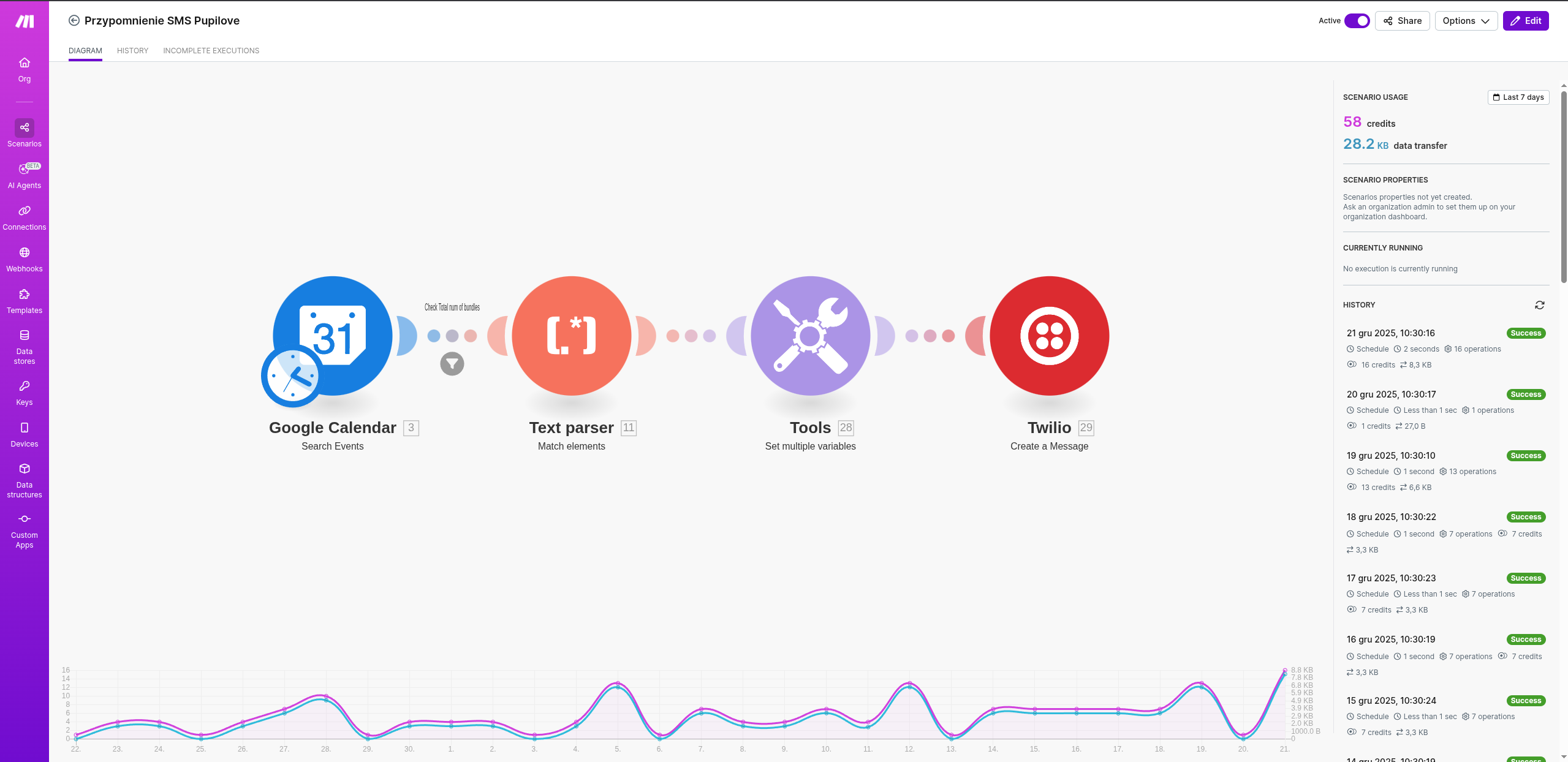
- Google Calendar holds the appointment details (date/time, service, pet name, owner name, phone number).
- Make.com watches for new or updated events and schedules SMS at 10:00am.
- Twilio sends messages via a messaging service, with delivery statuses fed back into Make.com for simple logging.
Implementation Details
Calendar Structure
- Title: Pet name + service (e.g., “Bella – Full Groom”) for quick scanning
- Description: Owner name, mobile number, notes (allergies, preferences)
- Calendar: A dedicated “Grooming” calendar
This keeps essential data together and avoids jumping between systems.
Make.com Scenario
- Trigger: Watch Events (Google Calendar) for the dedicated grooming calendar
- Filters: Only future events; skip if missing a valid phone number
- Scheduling: Create timed runs in morning
- Formatting: Standardize date/time and shorten long notes
- Delivery: Send via Twilio; log delivery status and failures
Twilio SMS Templates
Reminder template (Day before at 10am):
Dzień dobry! 😊 Przypominamy o umówionej wizycie u groomera Pupilove dnia 21-12-2025 o godzinie 15:00 przy ul. Longinówka 55A, 97-340 Longinówka Do zobaczenia! 🐾
Templates are concise to minimize multi‑segment messages and costs, while remaining friendly and on‑brand.
Cost Optimizations
- Keep messages short and informative to reduce SMS segments
- Avoid sending outside business hours; schedule reminders for local time
- Validate phone numbers to reduce failed deliveries
- Use a single Twilio messaging service for consistent routing
These small choices add up to predictable monthly SMS spend.
Results
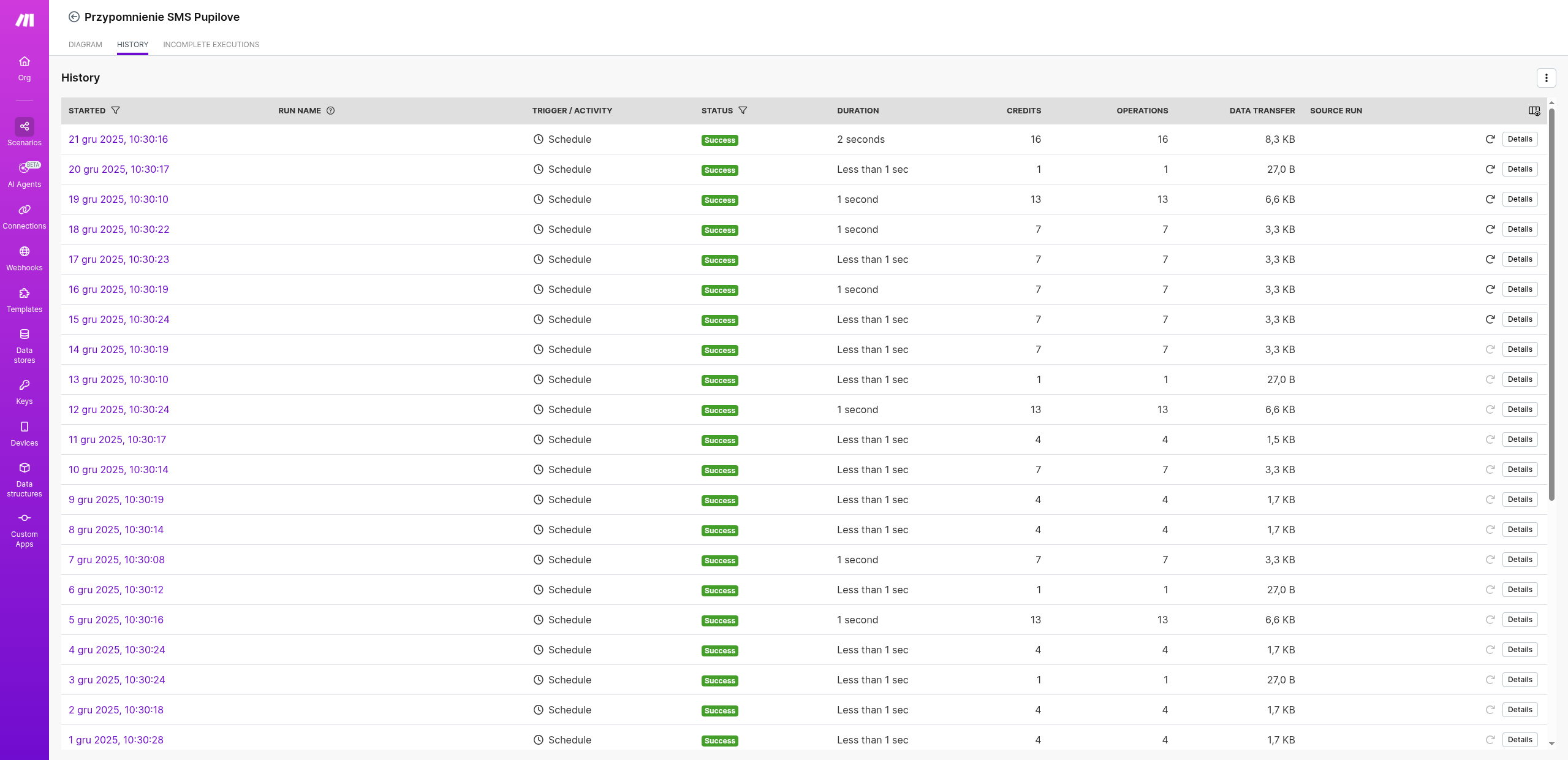
- Fewer last‑minute cancellations and missed appointments
- Faster confirmations and smoother daily operations
- Clear audit trail of sent messages and delivery outcomes
Even without adopting a large booking platform, the groomer now enjoys professional, automated client communications.
How You Can Implement This
- Create a dedicated Google Calendar for grooming appointments
- Decide your event format (title, description fields including phone)
- Set up a Twilio account and a messaging service
- Build a Make.com scenario:
- Watch Events → filter valid appointments
- Schedule timed actions (T‑24h, T‑3h)
- Send with Twilio using templates above
What’s Next
This project inspired me to start work on Rezly currently in progress but this is going to be SaaS with state of the art scheduling!
If you’d like a similar setup for your grooming business—or any local service—reach out and I’ll tailor it to your workflow and budget.
Pupilove
Props for Monika for being best groomer!